Cleaning your office like a professional requires a bit of attention to detail, some smart techniques, and using the right tools.
Here’s a step-by-step guide that will help you tackle the job like a pro…
Declutter First
- Tidy up – Before any actual cleaning begins, clear off your desk, shelves, and any other workspaces. Remove items you don’t need or haven’t used recently. This will make it easier to clean and give you more space to work with.
- Organize – If you need to, organize papers, files, and supplies. Use organizers or file folders to keep things in order.
Dusting – High to Low
- Ceiling fans and light fixtures – Start by dusting ceiling fans, light fixtures, and vents. You don’t want the dust to fall on already cleaned areas. Use a microfiber cloth or a duster with an extendable pole for those hard-to-reach spots.
- Shelves, cabinets, and furniture – Dust furniture, bookshelves, cabinets, and any other surfaces. A microfiber cloth works great because it traps dust, rather than pushing it around.
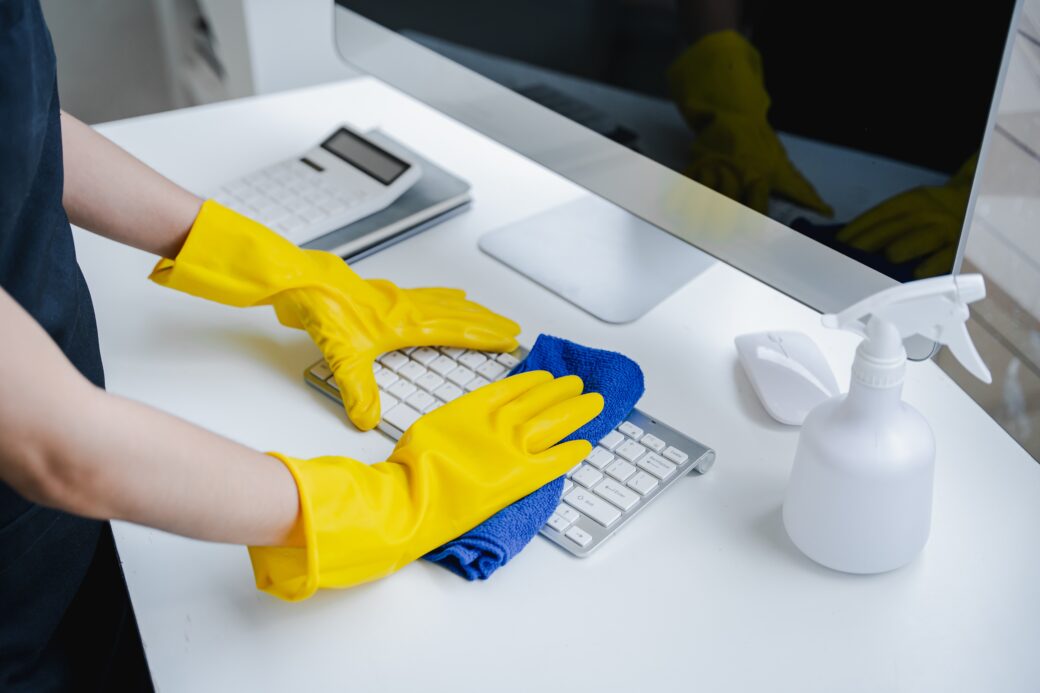
- Electronics – Use a soft cloth to wipe down your computer monitor, keyboard, mouse, phone, and other electronics. Be careful not to apply too much pressure, and use electronics-safe cleaners. For screens, you can use a slightly damp microfiber cloth or a specialized screen cleaner.
Disinfecting Surfaces
- Desks and workspaces – Wipe down all flat surfaces like your desk, tables, and countertops with a disinfecting cleaner or a multipurpose cleaner. Pay special attention to high-touch areas like your keyboard, mouse, and phone.
- Handles and switches – Don’t forget to clean door handles, light switches, and any other frequently touched areas. These can harbor a lot of germs.
- Drawer interiors – Don’t just clean the outside of your drawers. Open them up and wipe the insides to remove dust and crumbs.
Vacuuming and Floor Care
- Vacuum carpets or rugs – Use a vacuum with a HEPA filter for the best results. Make sure to get into the corners and under furniture where dirt and dust tend to accumulate. If there are stains on the carpet, you can spot clean them with a carpet cleaner.
- Mop the floor (if applicable) – If you have hard floors (tile, laminate, wood, etc.), mop them after vacuuming. Use a cleaner that’s appropriate for the type of floor to avoid damage.
Cleaning Windows and Glass Surfaces
- Windows – Clean your windows with a streak-free glass cleaner. Be sure to clean both the inside and outside if possible. You can use a microfiber cloth or paper towels for wiping.
- Mirrors – If your office has mirrors, clean them the same way you would a window.
Sanitize the Air
- Air purifier – If you have one, clean or change the filter on your air purifier. If you don’t have one, consider investing in one to keep the air fresh and help with allergens.
- Essential oils or air fresheners – A light spritz of air freshener or an essential oil diffuser can freshen up the office. But don’t overdo it—too much fragrance can be overwhelming.
Final Touches
- Check for any missed spots – After your cleaning session, take a step back and inspect the office. Ensure that no spots were missed, and touch up anything that needs it.
- Personalize your space – Finally, add any personal touches back onto your desk, but don’t go overboard—keep it minimal to maintain a clean, organized look. A plant, a nice pen holder, or a small piece of art can make your office feel more welcoming.
Extra Pro Tips
- Use the right tools – Microfiber cloths are your best friend—they trap dust and dirt better than regular cloths. A good vacuum with attachments for corners and upholstery makes life easier too.
- Stay on top of it – If you can, clean small messes as they occur to prevent buildup. A quick tidy-up once a week or every other day will keep things from getting overwhelming.
By following this process and using a bit of elbow grease, your office will be spotless and feel more productive and welcoming.




Leave a Comment